
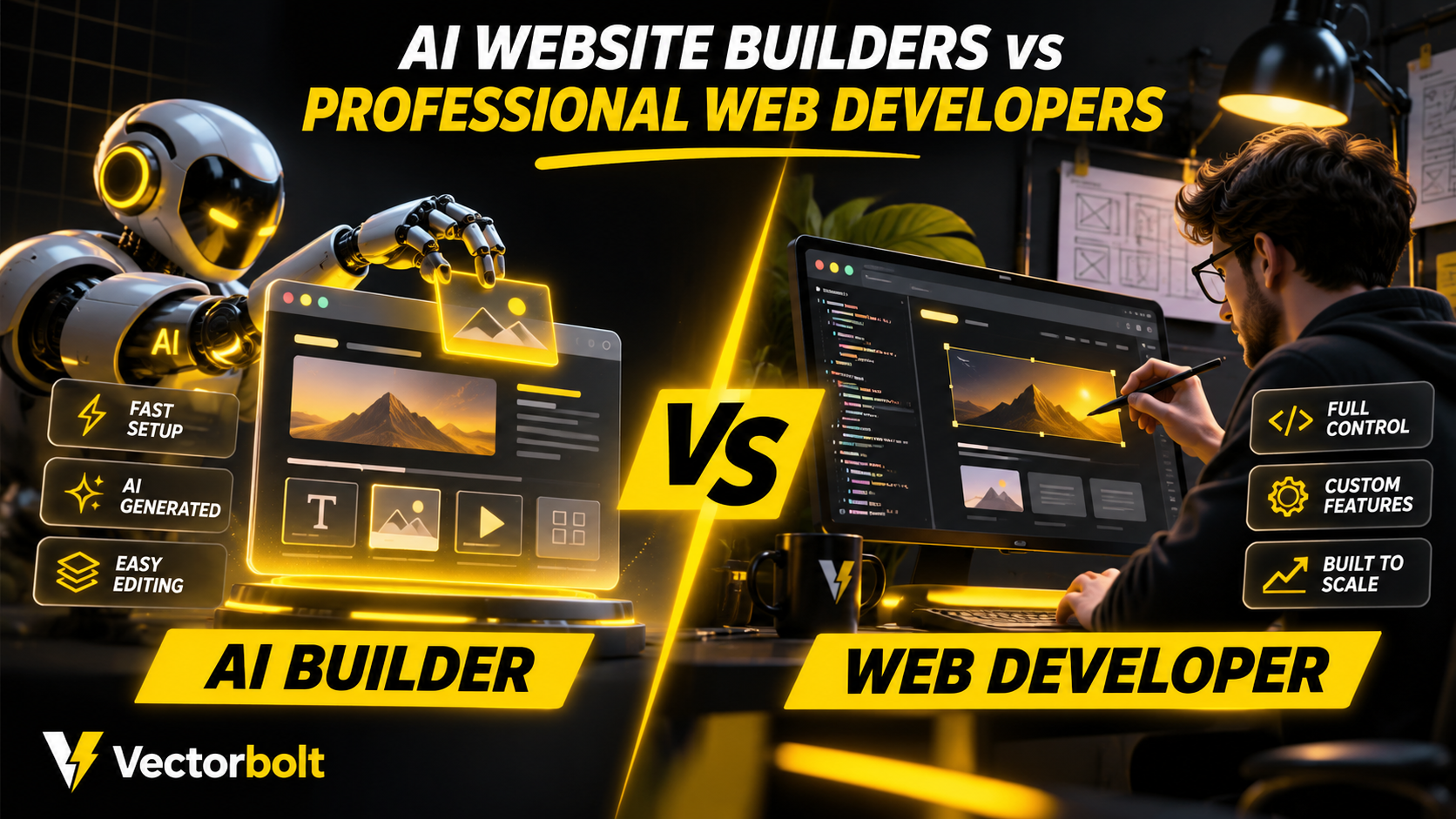
AI website builders can generate page layouts, draft copy and editable site structures from written instructions. They are useful for launching straightforward websites quickly. Professional web developers handle a different set of responsibilities, including requirements analysis, custom functionality, third-party integrations, accessibility, performance and long-term maintenance.
Use an AI builder when
The project is simple, deadlines are tight and the platform’s constraints are acceptable.
Use a developer when
You need complex workflows, integrations, performance accountability or greater control over code and hosting.
Test the hardest feature first
A polished homepage demo tells you little about booking rules, checkout integrations or complex data imports. Validate the difficult requirement before choosing the tool.
The right choice depends on what the website must do, how much control the business needs and who will maintain it. This comparison examines where AI website builders are suitable, when professional development becomes necessary and how both approaches can be used together.
What is an AI website builder?
An AI website builder uses natural-language input to generate a starting website. Depending on the platform, that can include a layout, site navigation, placeholder content, responsive styling and an editable design system. Most platforms still require human review, configuration and testing before launch.
For example, Webflow’s AI site builder generates a site structure, content and theme from a description. Framer also supports generating website direction from prompts and refining the result in its visual editor. WordPress.com’s WordPress Agent provides an AI-assisted website-building workflow for supported plans.
Capabilities vary by service and plan. Generating a website does not automatically mean every required business feature is implemented, tested and ready for production.
What does a professional web developer do?
A web developer is responsible for turning business requirements into a working website and maintaining its technical quality. That can involve choosing the platform, designing templates, writing or modifying code, integrating services, managing data and ensuring features work reliably on different devices.
For a simple brochure site, much of this work can be completed in a visual builder. For a booking system, membership area, customer portal or store with specialised rules, developers may need to design database structures, create APIs, secure user workflows and test failure scenarios.
AI website builders vs professional web developers: comparison
| Factor | AI website builder | Professional development |
|---|---|---|
| Starting speed | Can generate a draft quickly | Requires planning and implementation |
| Initial investment | Often lower for simple sites | Usually higher for custom projects |
| Design control | Depends on editor and platform | Can be specified and implemented in detail |
| Custom functionality | Constrained by supported features and extensions | Can be developed to documented requirements |
| Third-party integrations | Limited to available integrations or code access | Can use APIs and custom integration logic |
| Performance | Varies by generated output and platform | Can be optimised, but quality depends on execution |
| Ongoing maintenance | Platform updates may be managed; content and settings still require attention | Requires a maintenance plan and ownership of changes |
| Portability | Depends on export and hosting restrictions | Depends on the selected stack and ownership terms |
1. Build speed and project setup
AI website builders are particularly effective at creating a first draft. A business can describe the pages it needs, review a proposed layout and make changes without waiting for every component to be implemented manually.
That advantage becomes smaller when requirements are complex. Custom booking rules, account permissions, multi-step forms or unusual integrations may take additional configuration or development. The effort should be evaluated against the completed website, not only the time needed to generate its first screen.
2. Design quality and brand consistency
AI-generated layouts can be visually polished, but they still need review for correct content hierarchy, readable typography, spacing and consistency across screen sizes. A generated site may also rely on familiar patterns that do not reflect a company’s actual brand.
Professional design and development allow individual sections, templates and interactions to be built around documented requirements. However, hiring a developer does not guarantee good design. Evaluate actual portfolio work, mobile layouts and the process for reviewing changes.
3. Custom website functionality
This is often the main distinction. If a business only needs service pages, an enquiry form and an uncomplicated content section, a capable site builder may meet the requirements. If it needs conditional pricing, customer-specific dashboards, inventory synchronisation or a complex booking system, the project should be assessed as software development.
A developer can create custom WordPress functionality, integrate a payment or scheduling API, and apply server-side validation and permission rules. An AI builder may support parts of the same workflow through native features or extensions, but compatibility and maintenance need to be checked before committing.
4. Search engine optimisation
Neither method guarantees Google rankings. Both AI-generated and professionally developed websites need accurate content, sensible page structure, crawlable links, appropriate metadata, good internal linking and useful information.
Google states that automatically generating many pages without adding value can violate its scaled-content abuse policy. It recommends reviewing AI-generated material for accuracy and focusing on helpful content rather than the production method alone. See Google Search Central’s generative AI guidance.
Before launch, verify title tags, canonical URLs where relevant, redirects, indexability, structured data and mobile rendering. An SEO plugin or AI writing assistant does not replace this work.
5. Website speed and technical performance
A lightweight-looking page can still load substantial JavaScript, large media files or external widgets. The same applies to custom-developed sites. Performance depends on implementation, asset delivery, hosting and ongoing changes, not simply on the presence or absence of AI.
Test representative pages with PageSpeed Insights and assess Core Web Vitals, including Largest Contentful Paint, Interaction to Next Paint and Cumulative Layout Shift. Test menus, forms and other interactions after making performance changes.
For additional practical checks, see our WordPress website speed guide.
6. Ownership, hosting and platform restrictions
Before selecting an AI builder, confirm who controls the domain, site content, media, database and application code. Some platforms provide limited export options or require hosting within their own environment. Others allow developers to modify generated sites through an existing editor or development system.
With custom development, ownership and portability are determined by the contract and technical stack. Request documentation, access to relevant accounts, a backup process and clear terms for transferring the website to another provider.
7. Ongoing costs and maintenance
An AI builder may reduce initial setup work, but subscription charges, premium features, transaction fees and external services can increase operating costs. It still takes time to update content, fix broken links, manage marketing tools and review enquiries.
Professional development can involve a larger initial project budget and ongoing maintenance costs. Request a scope that separates design, development, hosting, licences, support and future change requests. Compare the full cost of ownership rather than only the advertised starting price.
When should you use an AI website builder?
- You need a simple informational website with standard sections and forms.
- You want to test a business concept or temporary landing page.
- You can work within the platform’s editing, integration and hosting constraints.
- A person is available to check the content, mobile layouts and key interactions before launch.
- The consequences of limited customisation are acceptable for the project.
When should you hire a professional web developer?
- Your site requires custom booking, pricing, membership or customer account workflows.
- You need reliable integrations with a CRM, ERP, payment provider or operational database.
- You have complex content relationships, user roles or publishing rules.
- You need documented ownership, deployment, maintenance and recovery procedures.
- The business depends heavily on the website and failures would interrupt operations.
A hybrid approach: AI-assisted professional development
AI tools and professional developers are not mutually exclusive. A developer can use AI to explore layouts, prepare a prototype, review code or accelerate repetitive tasks while remaining responsible for architecture, integration, security and testing.
A practical workflow is to define requirements, generate an initial design direction, refine it against the brand, implement missing functionality and test the complete user journey. AI-generated code should be reviewed before deployment, especially when it handles accounts, payments or private information.
How to choose the right approach for your business
Start with a written feature list
Separate essential features from optional features. Include forms, booking rules, user accounts, payment requirements, languages, integrations, reporting and the editing process for future content.
Test the most difficult feature before committing
A homepage mockup is rarely the hardest part of a business website. Validate the booking flow, checkout, custom data structure or third-party integration first. This shows whether a builder can support the project without expensive workarounds.
Review a working example
Evaluate the website on mobile and desktop, submit test forms, check accessibility basics and confirm that someone can update content without breaking templates. Ask how issues will be fixed after launch.
THE BOTTOM LINE
Decide based on features, ownership and maintenance needs, not only the quickest initial build.
Frequently asked questions
Can AI build a complete business website?
Yes, for some requirements. Current AI builders can generate editable multi-page websites, but complex business systems may require additional tools or professional implementation. A generated site should be tested before being treated as production-ready.
Will AI replace web developers?
AI is changing how websites are produced, particularly for initial layouts and routine implementation. It does not remove the need to define requirements, verify business logic, manage integrations, handle security or maintain production systems.
Is an AI-built website good for SEO?
It can be, provided the site meets technical requirements and publishes useful content. Search visibility depends on page quality, crawlability, relevance and other signals, not on whether a human or AI generated the first draft.
Is a custom website always better?
No. Custom development is unnecessary for some simple projects. A well-configured builder may be easier and less costly to maintain. The decision should follow the functional requirements and expected lifespan of the site.
Final recommendation
Use an AI website builder when the website is straightforward and the platform covers the required features. Choose professional development when the project involves custom business logic, complex integrations or requirements that exceed the platform’s standard capabilities. A hybrid process can reduce repetitive work without sacrificing technical review.
Vectorbolt provides website development and WordPress services, including custom functionality and maintenance. To discuss the right technical approach for a project, contact Vectorbolt with your requirements.
Sources: Webflow AI site builder documentation; Framer AI website builder; WordPress.com AI builder documentation; Google Search Central AI content guidance. Product information reviewed November 2026.
